Age Calculator in PHP is a useful way to calculate a person’s completed age from a date of birth using PHP’s built-in date and time classes. For modern PHP applications, DateTimeImmutable and diff() provide a clean way to compare a birth date with today’s date or any fixed reference date. PHP documents that diff() returns a DateInterval representing the difference between two date/time objects. PHP DateTimeInterface::diff manual
This guide shows how to build a PHP age calculator from scratch, including a simple age formula, exact years-months-days output, fixed-date calculations, HTML forms, input validation, leap-day cases, time zones, total days, and reusable functions. It also explains why subtracting years alone can produce an age that is one year too high.

Quick Answer: PHP Age Calculator
For a birth date and today’s date, PHP’s date classes let you calculate the calendar difference directly:
$birthDate = new DateTimeImmutable('2000-06-15');
$today = new DateTimeImmutable('today');

$age = $birthDate->diff($today)->y;

echo $age;
The y property of the returned DateInterval contains the years component. PHP documents DateInterval as the object used to represent the difference between two dates and times, including years, months, days and other components. PHP DateInterval manual
Why DateTimeImmutable::diff() Works Well for Age
A simple expression such as 2026 - 2000 does not know whether the birthday has happened yet. By comparing actual dates, diff() can represent the calendar interval between the birth date and the reference date.
| PHP feature | Purpose in an age calculator |
|---|---|
| DateTimeImmutable | Represent the birth and reference dates |
| diff() | Calculate the calendar interval |
| DateInterval->y | Completed years |
| DateInterval->m | Remaining months |
| DateInterval->d | Remaining days |
| DateInterval->days | Total full days when produced by diff() |
| createFromFormat() | Parse a date using a specified format |
PHP’s documentation notes that DateTimeImmutable returns new objects when modification methods are used, rather than changing the original object. That makes it convenient for reusable date calculations. PHP DateTimeImmutable manual
1. Calculate Current Age from Date of Birth
The simplest reusable function can accept a birth date and optionally a reference date:
function calculateAge(DateTimeImmutable $birthDate, ?DateTimeImmutable $referenceDate = null): int
{
    $referenceDate ??= new DateTimeImmutable('today');

    if ($birthDate > $referenceDate) {
        throw new InvalidArgumentException('Birth date cannot be in the future.');
    }

    return $birthDate->diff($referenceDate)->y;
}
The function checks the future-date case before returning the years component. If no reference date is supplied, it uses today’s date. Passing the reference date explicitly makes the function deterministic for tests and historical or future calculations.
2. Calculate Age on a Specific Date
Age is not always needed as of today. An application may need age at an admission date, application deadline, event date, policy date, or reporting cutoff.
$birthDate = new DateTimeImmutable('1995-08-20');
$referenceDate = new DateTimeImmutable('2026-09-21');

$age = $birthDate->diff($referenceDate)->y;

echo $age;
Using a fixed reference date prevents the result from changing tomorrow. The same birth date can therefore be evaluated consistently against a published cutoff date.
| Birth date | Reference date | Completed age |
|---|---|---|
| 20-Aug-1995 | 19-Aug-2026 | 30 |
| 20-Aug-1995 | 20-Aug-2026 | 31 |
| 20-Aug-1995 | 21-Sep-2026 | 31 |
| 20-Aug-1995 | 19-Aug-2030 | 34 |
| 20-Aug-1995 | 20-Aug-2030 | 35 |
3. Display Age in Years, Months and Days
One major advantage of diff() is that the returned DateInterval contains separate calendar components.
$birthDate = new DateTimeImmutable('2000-06-15');
$today = new DateTimeImmutable('today');

$interval = $birthDate->diff($today);

echo $interval->y . ' years, ';
echo $interval->m . ' months, ';
echo $interval->d . ' days';
PHP documents the DateInterval properties y, m, and d as years, months, and days. PHP DateInterval manual
This is preferable to dividing a total number of days by 365 when the desired output is calendar age. A calendar interval and an average-year duration answer different questions.
4. Build a PHP Age Calculator Form
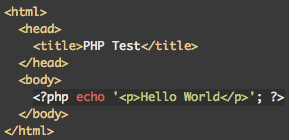
A basic HTML form can collect a date of birth and send it to a PHP script:
The PHP handler can parse the submitted ISO-style date and calculate the age:
if ($_SERVER['REQUEST_METHOD'] === 'POST') {
    $dob = $_POST['dob'] ?? '';

    $birthDate = DateTimeImmutable::createFromFormat('!Y-m-d', $dob);
    $errors = DateTimeImmutable::getLastErrors();

    if (
        !$birthDate ||
        ($errors !== false && (
            $errors['warning_count'] > 0 ||
            $errors['error_count'] > 0
        ))
    ) {
        echo 'Enter a valid date of birth.';
        exit;
    }

    $today = new DateTimeImmutable('today');

    if ($birthDate > $today) {
        echo 'Birth date cannot be in the future.';
        exit;
    }

    echo $birthDate->diff($today)->y;
}
PHP documents createFromFormat() as a way to parse a date/time string according to a specified format. Its related error-reporting method can expose parsing warnings and errors; PHP’s documentation demonstrates that invalid calendar dates can generate a warning, so validation should not rely only on whether an object was returned. PHP createFromFormat() PHP getLastErrors()
5. Validate the Date of Birth
A production calculator should validate at least four conditions: the field exists, the date has the expected format, the parsed date is valid, and the birth date is not in the future.
- Reject an empty DOB before attempting the calculation.
- Parse the expected YYYY-MM-DD format explicitly.
- Check parsing warnings and errors for malformed or rolled-over dates.
- Reject a birth date later than the reference date.
- Use a clearly defined time zone when the application is sensitive to local calendar dates.
PHP’s DateTime documentation provides both object-oriented and procedural date APIs, but using DateTimeImmutable consistently can make application code easier to reason about because calculations return new objects rather than mutating the original date. PHP DateTimeImmutable
6. Use a Fixed Reference Date for Eligibility
Many age checks are based on a specific cutoff rather than the current date. Keep the reference date separate from the birth date:
function ageOnDate(string $dob, string $cutoff): int
{
    $birthDate = DateTimeImmutable::createFromFormat('!Y-m-d', $dob);
    $referenceDate = DateTimeImmutable::createFromFormat('!Y-m-d', $cutoff);

    if (!$birthDate || !$referenceDate) {
        throw new InvalidArgumentException('Invalid date.');
    }

    if ($birthDate > $referenceDate) {
        throw new InvalidArgumentException('Birth date is after the reference date.');
    }

    return $birthDate->diff($referenceDate)->y;
}

echo ageOnDate('2000-09-22', '2026-09-21');
This kind of function is useful when an official rule says age must be calculated “as on” a particular date. It also makes automated testing easier because the same input always produces the same result.
7. Calculate Total Days Between DOB and Today
If you need elapsed days rather than completed calendar years, the DateInterval returned by diff() can provide the total full-day count through its days property.
$birthDate = new DateTimeImmutable('2000-06-15');
$today = new DateTimeImmutable('today');

$interval = $birthDate->diff($today);

echo $interval->days;
PHP documents that days contains the total number of full days when the interval was created by DateTimeImmutable::diff() or DateTime::diff(); otherwise that property can be false. PHP DateInterval manual
8. Calculate Total Months
For a calendar-age display, the m property is the remaining month component after the years component. It is not the same as total elapsed months.
If your application specifically needs total months, define the requirement first. A result such as “26 years, 3 months” is a calendar breakdown, whereas a total-month measure would be 315 months for the same completed interval. PHP’s DateInterval is designed to represent calendar components, so do not silently substitute one definition for another.
$interval = $birthDate->diff($today);

$completedYears = $interval->y;
$remainingMonths = $interval->m;
$remainingDays = $interval->d;

echo "{$completedYears} years, {$remainingMonths} months, {$remainingDays} days";
9. Handle Leap-Day Birth Dates
29 February birthdays need an explicit application policy when the reference year is not a leap year. PHP can perform the date arithmetic, but it does not define your business rule for what an organization means by a non-leap-year birthday.
For important eligibility or legal calculations, document the rule used by the relevant authority. For a general age calculator, test 29 February birth dates against both leap and non-leap reference years and make the behavior visible in your documentation.
10. Time Zones and PHP Age Calculations
A date of birth is normally a calendar date rather than an instant. Time zones become important when the application receives timestamps or constructs dates from date-time strings.
$timezone = new DateTimeZone('Asia/Kolkata');

$today = new DateTimeImmutable('today', $timezone);
$birthDate = DateTimeImmutable::createFromFormat(
    '!Y-m-d',
    '2000-06-15',
    $timezone
);

$age = $birthDate->diff($today)->y;
PHP’s DateTime documentation explains that date/time classes support time zones and daylight-saving transitions. For a calendar age calculator, choose the time zone deliberately when the current date must correspond to a specific local jurisdiction. PHP Date/Time manual
11. Compare PHP Age Methods
| Approach | Best for | Main limitation |
|---|---|---|
| diff()->y | Completed calendar age | Needs valid DateTime objects |
| diff()->y/m/d | Exact calendar breakdown | Define leap-day policy |
| diff()->days | Total full days | Not a calendar age |
| Year subtraction | Very simple rough logic | Can be one year too high |
| Timestamp arithmetic | Elapsed duration | Not automatically calendar age |
The diff() method is generally the most direct choice when the requirement is a calendar interval. PHP’s documentation notes that the method is aware of daylight-saving transitions and returns a DateInterval describing the interval between the objects. PHP DateTimeInterface::diff
12. Complete PHP Age Calculator Example
Here is a compact example suitable as the calculation core of a PHP page:
 $referenceDate) {
        throw new InvalidArgumentException(
            'Birth date cannot be after the reference date.'
        );
    }

    return $birthDate->diff($referenceDate)->y;
}

try {
    echo calculateAge('2000-06-15');
} catch (InvalidArgumentException $e) {
    echo $e->getMessage();
}
PHP Age Calculator Cheat Sheet
| Requirement | PHP code |
|---|---|
| Current age | $birthDate->diff(new DateTimeImmutable(‘today’))->y |
| Age on fixed date | $birthDate->diff($referenceDate)->y |
| Years, months, days | $interval->y, $interval->m, $interval->d |
| Total full days | $interval->days |
| Parse YYYY-MM-DD | DateTimeImmutable::createFromFormat(‘!Y-m-d’, $dob) |
| Check future DOB | $birthDate > $referenceDate |
| Use a time zone | new DateTimeZone(‘Asia/Kolkata’) |
Common PHP Age-Calculator Mistakes
- Using only the difference between the two years.
- Treating total elapsed days divided by 365 as a calendar age.
- Ignoring parsing warnings for malformed dates.
- Accepting a future date of birth.
- Mixing time zones without defining which local date should control the result.
- Assuming PHP automatically chooses your application’s legal rule for 29 February birthdays.
- Confusing DateInterval->m with total elapsed months.
- Mutating date objects unnecessarily when DateTimeImmutable can keep the calculation clearer.
PHP Age Calculator vs Excel and Google Sheets
The site’s Age Calculator in Excel guide uses spreadsheet date formulas, while the Age Calculator in Google Sheets guide focuses on DATEDIF and TODAY. PHP is different because the calculation runs in application code and can be connected directly to an HTML form, database, API, or server-side eligibility check.
| Use case | PHP | Excel / Google Sheets |
|---|---|---|
| Website age form | Strong fit | Not normally server-side |
| Server-side validation | Strong fit | Not the usual role |
| Spreadsheet list | Possible, but requires code | Strong fit |
| Reusable application function | Strong fit | Cell formulas |
| Historical cutoff | Pass reference date | Use reference cell |
PHP Age Calculator FAQ
What is the PHP formula for calculating age?
Use a DateTimeImmutable birth date and calculate its difference from the reference date, then read the years component: $birthDate->diff($referenceDate)->y.
How do I calculate age in PHP from date of birth?
Parse the DOB into a DateTimeImmutable object, create today’s or a fixed reference date, and call diff(). Validate the DOB before returning the years component.
How do I calculate age in years, months and days in PHP?
Store the result of diff() in a DateInterval and read y, m, and d. PHP documents these properties as the years, months, and days components of the interval. PHP DateInterval manual
Can PHP calculate age on a specific date?
Yes. Pass the desired cutoff or event date as the second DateTime object to diff().
How do I validate a PHP date from an HTML form?
Parse the submitted value with DateTimeImmutable::createFromFormat() and inspect parsing warnings and errors. Also reject future birth dates.
Can PHP calculate total days between two dates?
Yes. When a DateInterval is produced by diff(), its days property represents the total number of full days between the dates. PHP DateInterval manual
Does DateTimeImmutable handle time zones?
Yes. PHP’s date/time classes support time zones and daylight-saving transitions. Define the application’s time-zone policy when the calculation depends on a local calendar date. PHP Date/Time manual
Sources and Further Reading
- PHP Manual — DateTimeInterface::diff.
- PHP Manual — DateInterval.
- PHP Manual — DateTimeImmutable.
- PHP Manual — DateTimeImmutable::createFromFormat.
- PHP Manual — DateTimeImmutable::getLastErrors.
- PHP Manual — Date and Time.
Conclusion
A reliable age calculator in PHP can be built without manually counting calendar years. Use DateTimeImmutable for the birth and reference dates, use diff() for the calendar interval, and read the years component for completed age. For detailed output, use the interval’s years, months, and days components.
For production applications, validate user input, reject future birth dates, define the reference-date rule, and document leap-day and time-zone behavior. PHP’s date/time library supplies the calculation primitives; your application determines the exact age policy.