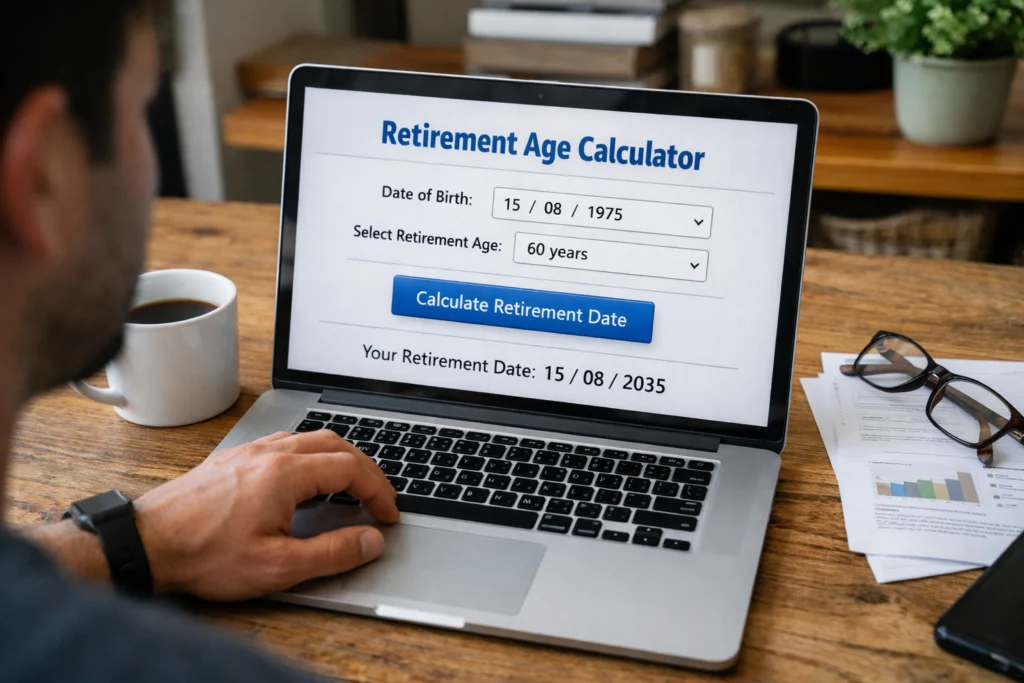
If you need an age calculator in Swift, use Foundation’s Calendar and DateComponents APIs rather than subtracting timestamps or years. Calendar-based calculations account for month lengths, leap years, and the user’s calendar/time-zone rules.
This Swift guide shows how to calculate completed age from a date of birth (DOB), calculate age on a fixed date, return years-months-days, count elapsed days, validate input, handle February 29 birthdays, and test the implementation.

Quick answer: calculate age in Swift
For a normal Gregorian-calendar age calculation, create a Calendar, then ask it for the year, month, and day components between the DOB and reference date. For completed years, the .year component gives the calendar-year difference while the other components show whether a birthday has passed.
import Foundation

func completedAge(from dob: Date, asOf: Date = Date()) -> Int {
    var calendar = Calendar(identifier: .gregorian)
    calendar.timeZone = .current

    let components = calendar.dateComponents(
        [.year, .month, .day],
        from: dob,
        to: asOf
    )

    return max(0, components.year ?? 0)
}
For user-facing applications, explicitly choose the calendar and time zone rather than relying on an implicit environment when the result must be reproducible.
Why subtracting years is not enough
If someone was born on 15 November 2000 and the reference date is 10 September 2026, the raw year difference is 26 but the completed age is 25 because the 2026 birthday has not happened. Calendar component calculations are designed for this kind of calendrical interval.
| DOB | As-of date | Raw year difference | Completed age |
|---|---|---|---|
| 15 Nov 2000 | 10 Sep 2026 | 26 | 25 |
| 15 Nov 2000 | 15 Nov 2026 | 26 | 26 |
| 15 Nov 2000 | 20 Dec 2026 | 26 | 26 |
Use Foundation Calendar for age calculations
Swift’s Foundation framework provides Calendar for calendar-aware operations and DateComponents for decomposed calendar values. Apple documents methods for calculating components between two dates and for creating dates from components. This is a better fit for human age than treating a date as a fixed number of seconds.
Calculate completed age from a DOB
import Foundation

func age(from dob: Date, on referenceDate: Date) -> Int? {
    var calendar = Calendar(identifier: .gregorian)
    calendar.timeZone = .current

    guard dob <= referenceDate else {
        return nil
    }

    let components = calendar.dateComponents(
        [.year, .month, .day],
        from: dob,
        to: referenceDate
    )

    return components.year
}
Returning an optional lets the caller distinguish invalid future DOB input from a real age. In production code, you can also return a custom result type if the application needs detailed validation errors.
Use a fixed as-of date
Passing the reference date into the function is useful for eligibility cutoffs, historical records, tests, and forms. It also prevents the result from changing simply because the code runs on a different day.
import Foundation

var calendar = Calendar(identifier: .gregorian)
calendar.timeZone = TimeZone(identifier: "Asia/Kolkata")!

let dob = calendar.date(
    from: DateComponents(year: 2000, month: 11, day: 15)
)!

let cutoff = calendar.date(
    from: DateComponents(year: 2026, month: 9, day: 10)
)!

let age = calendar.dateComponents(
    [.year],
    from: dob,
    to: cutoff
).year!

print(age)
The time zone matters when a Date is converted into calendar components. For an application serving a particular user or region, choose the time zone that defines the relevant calendar day.
Calculate years, months, and days
If the application needs an age such as 25 years, 9 months, 26 days, request all three components from the same calendar interval.
import Foundation

struct AgeComponents {
    let years: Int
    let months: Int
    let days: Int
}

func ageComponents(from dob: Date, to referenceDate: Date) -> AgeComponents? {
    var calendar = Calendar(identifier: .gregorian)
    calendar.timeZone = .current

    guard dob <= referenceDate else {
        return nil
    }

    let value = calendar.dateComponents(
        [.year, .month, .day],
        from: dob,
        to: referenceDate
    )

    return AgeComponents(
        years: value.year ?? 0,
        months: value.month ?? 0,
        days: value.day ?? 0
    )
}
This representation is calendar-based, so it should not be replaced with a calculation that assumes every month has the same number of days.
Calculate total elapsed days
Sometimes the requirement is not calendar age but the number of elapsed days since the DOB. In that case, ask the calendar for the day difference.
import Foundation

func elapsedDays(from dob: Date, to referenceDate: Date) -> Int? {
    var calendar = Calendar(identifier: .gregorian)
    calendar.timeZone = .current

    guard dob <= referenceDate else {
        return nil
    }

    return calendar.dateComponents(
        [.day],
        from: dob,
        to: referenceDate
    ).day
}
Elapsed days and completed age are different measurements. Use the one required by the application’s rule.
Convert a date of birth from components
For controlled input, constructing a Date from year, month, and day components is safer than relying on an ambiguous date string.
import Foundation

var calendar = Calendar(identifier: .gregorian)
calendar.timeZone = TimeZone(identifier: "Asia/Kolkata")!

let components = DateComponents(
    calendar: calendar,
    timeZone: calendar.timeZone,
    year: 2000,
    month: 11,
    day: 15
)

guard let dob = calendar.date(from: components) else {
    fatalError("Invalid date of birth")
}
Apple’s date(from:) returns an optional Date, so invalid or unusable component combinations can be rejected rather than passed into the age calculation.
Validate a future DOB
func isValidDOB(_ dob: Date, asOf referenceDate: Date) -> Bool {
    dob <= referenceDate
}
A UI should normally combine this chronological check with validation of the date input itself. A future DOB should produce a clear validation message instead of a negative age.
February 29 birthdays need a policy
A person born on February 29 does not have that calendar date in most years. Whether their birthday is observed on February 28, March 1, or another date depends on the application’s requirements. Do not silently assume a policy when the result affects eligibility or legal rules.
| Policy | Non-leap-year treatment | When to use |
|---|---|---|
| Feb 28 | Observe the birthday on Feb 28 | Only when the application’s rules specify it |
| Mar 1 | Observe the birthday on Mar 1 | Only when the application’s rules specify it |
| Custom rule | Follow the applicable policy | Legal or eligibility calculations |
Calendar and time-zone considerations
Date represents an absolute point in time, while Calendar interprets that point using calendar and time-zone rules. For a birthday calculator, those rules matter because a timestamp near midnight can fall on different calendar dates in different time zones.
var calendar = Calendar(identifier: .gregorian)
calendar.timeZone = TimeZone(identifier: "Asia/Kolkata")!

let today = calendar.startOfDay(for: Date())
If your app is global, consider whether the age rule should use the user’s current time zone, a stored birth-location time zone, or a jurisdiction-specific time zone.
Build a reusable Swift age result
import Foundation

struct AgeResult {
    let years: Int
    let months: Int
    let days: Int
    let totalDays: Int
}

func calculateAge(
    dob: Date,
    asOf referenceDate: Date,
    calendar: Calendar
) -> AgeResult? {
    guard dob <= referenceDate else {
        return nil
    }

    let parts = calendar.dateComponents(
        [.year, .month, .day],
        from: dob,
        to: referenceDate
    )

    let totalDays = calendar.dateComponents(
        [.day],
        from: dob,
        to: referenceDate
    ).day ?? 0

    return AgeResult(
        years: parts.year ?? 0,
        months: parts.month ?? 0,
        days: parts.day ?? 0,
        totalDays: totalDays
    )
}
Keeping the calendar as an input makes the function easier to test and lets the caller control the calendar and time zone instead of hiding those decisions inside the calculation.
Testing a Swift age calculator
Test calendar boundaries, not only ordinary dates. Birthday transitions, leap days, invalid dates, and time-zone boundaries are where date logic most often produces unexpected results.
| Test case | Expected behavior |
|---|---|
| DOB equals as-of date | Age is 0 years |
| One day before birthday | Completed age has not increased |
| On the birthday | Completed age increases |
| Future DOB | Reject the input |
| Feb 29 DOB | Apply the documented policy |
| Dates near midnight | Use the intended time zone |
Common mistakes in Swift age calculators
| Mistake | Why it fails | Better approach |
|---|---|---|
| Subtracting years only | Ignores whether the birthday occurred | Use Calendar components |
| Dividing seconds by 31,536,000 | Ignores leap days and calendar boundaries | Use calendar-aware calculations |
| Ignoring time zones | A timestamp can map to different local dates | Set the intended Calendar time zone |
| Accepting future DOBs | Can produce invalid ages | Validate DOB against the reference date |
| Ignoring Feb 29 | Birthday behavior becomes ambiguous | Document an explicit policy |
Minimal complete Swift example
import Foundation

func completedAge(from dob: Date, asOf referenceDate: Date) -> Int? {
    var calendar = Calendar(identifier: .gregorian)
    calendar.timeZone = .current

    guard dob <= referenceDate else {
        return nil
    }

    return calendar.dateComponents(
        [.year],
        from: dob,
        to: referenceDate
    ).year
}

var calendar = Calendar(identifier: .gregorian)
calendar.timeZone = TimeZone(identifier: "Asia/Kolkata")!

let dob = calendar.date(
    from: DateComponents(year: 2000, month: 11, day: 15)
)!

let cutoff = calendar.date(
    from: DateComponents(year: 2026, month: 9, day: 10)
)!

if let age = completedAge(from: dob, asOf: cutoff) {
    print("Age: \(age)")
}
This example uses Foundation’s Gregorian calendar and an explicit Indian time zone for constructing the sample dates. Change the time zone when the application’s age rule is defined by another locale or jurisdiction.
Swift age calculator: calendar vs elapsed time
| Requirement | Swift approach |
|---|---|
| Completed age | Calendar.dateComponents([.year], from:to:) |
| Years-months-days | Request .year, .month, and .day |
| Total elapsed days | Request .day from the calendar interval |
| DOB validation | Construct with Calendar.date(from:) and compare dates |
| Local birthday rules | Configure the calendar’s time zone and calendar identifier |
Frequently asked questions
Can Swift calculate age without manually counting leap years?
Yes. Foundation’s calendar APIs are designed for calendar calculations, so you do not need to write your own month-length and leap-year logic for ordinary Gregorian-calendar calculations.
Should I use Date or Calendar for age?
Use Date to represent the absolute date/time value and Calendar to interpret it in calendar terms. Human age is a calendar concept, so the calendar is central to the calculation.
How do I calculate age on a specific date in Swift?
Pass that date as the reference date to dateComponents(_:from:to:). Avoid reading the current date inside the core calculation when you need a reproducible result.
How do I calculate total days since birth in Swift?
Ask the configured calendar for the .day component between the DOB and reference date. This is an elapsed-day measurement, not a substitute for calendar age.
What should I do with a February 29 birthday?
Choose and document the application’s rule for non-leap years. Do not assume that February 28 or March 1 is universally correct.
Related age-calculator programming guides
- Age Calculator in Java using
LocalDateandPeriod. - Age Calculator in JavaScript with browser-friendly date logic.
- Age Calculator in C# using
DateOnly. - Age Calculator in Kotlin using
LocalDateandPeriod. - Age Calculator in C++ using C++20
chronocalendar types.
Sources and technical references
- Apple Developer Documentation: Calendar
- Apple Developer Documentation: Calendar.date(from:)
- Wikimedia Commons: Swift logo
Takeaway: a reliable age calculator in Swift should use Foundation’s calendar-aware APIs, validate future DOBs, keep the reference date explicit when needed, and define how February 29 birthdays are treated. This keeps the implementation aligned with calendar rules instead of approximating age from elapsed seconds.