Building an age calculator in Elixir is a useful exercise in date arithmetic, validation, and functional programming. Elixir’s standard Date module gives you the pieces needed for a reliable calculator: ISO date parsing, date comparison, leap-year checks, days-in-month calculations, date differences, and date shifting.
This guide shows how to calculate a person’s completed age from a date of birth, calculate age on a fixed reference date, validate future dates, count elapsed days and weeks, and build a reusable years-months-days function. The examples use Elixir’s standard library rather than a third-party date library.
Quick answer
For elapsed days between a date of birth and today, the core Elixir expression is Date.diff(Date.utc_today(), dob). For example:
dob = ~D[1990-05-17]
today = Date.utc_today()

days = Date.diff(today, dob)
For a production calculator, also validate that the date of birth is not in the future and decide how your application should handle February 29 birthdays in non-leap years.
Table of contents

Why use Elixir for an age calculator
Elixir runs on the Erlang virtual machine and is designed around immutable data, pattern matching, functions, and clear concurrency primitives. An age calculator is small enough to understand quickly, but it still demonstrates important Elixir habits: keep date values explicit, separate validation from calculation, and prefer pure functions when a calculation does not need external state.
Elixir represents a calendar date with the Date struct. A date such as 17 May 1990 can be written directly as ~D[1990-05-17]. This makes examples easy to read and avoids ambiguous numeric date formats.
Elixir date tools you need
| Function | Purpose |
|---|---|
Date.utc_today/0 | Gets today’s UTC calendar date. |
Date.diff/2 | Returns the number of calendar days between two dates. |
Date.compare/2 | Compares two dates and returns :lt, :eq, or :gt. |
Date.leap_year?/1 | Checks whether a year is a leap year. |
Date.days_in_month/1 | Returns the number of days in a date’s month. |
Date.new/3 | Safely constructs a date and returns a result tuple. |
Date.new!/3 | Constructs a date and raises if the values are invalid. |
Date.from_iso8601/1 | Parses an ISO 8601 date string. |
Date.shift/2 | Shifts a date by supported calendar units. |
The official Elixir Date documentation is the best reference when you need the exact behavior of a date function or want to check details for the Elixir version you are using.
Build a basic age calculator
Start with a fixed date of birth and today’s date. The difference in days is a useful foundation for an age calculator because it is deterministic and easy to test.
defmodule AgeCalculator do
  def age_in_days(dob, today \\ Date.utc_today()) do
    Date.diff(today, dob)
  end
end

dob = ~D[1990-05-17]
IO.puts(AgeCalculator.age_in_days(dob))
The optional today argument is especially useful for testing. Production code can use Date.utc_today(), while a test can pass a known reference date and always get the same result.
Calculate age on a fixed date
An age calculator should often answer questions such as “How old was this person on 1 January 2025?” Pass that date explicitly rather than relying on the system clock.
dob = ~D[1990-05-17]
reference_date = ~D[2025-01-01]

days = Date.diff(reference_date, dob)
IO.puts("Elapsed days: #{days}")
This design also makes your application easier to test and makes historical calculations reproducible.
Validate the date of birth
A future date of birth should normally be rejected. Compare the supplied date with the reference date before performing age calculations.
def valid_dob?(dob, today \\ Date.utc_today()) do
  Date.compare(dob, today) != :gt
end
If the input arrives as text, validate parsing separately so malformed dates and future dates can produce different error messages.
Calculate age in years, months and days
Completed years are straightforward: subtract the birth year from the reference year and reduce the result by one if the birthday has not occurred yet. Month-and-day components require a calendar convention because months have different lengths.
The following implementation uses a clear convention: when advancing one month would produce an invalid day, the day is clamped to the last valid day of the destination month. This makes dates such as January 31 usable when the next month has only 28 or 30 days.
defmodule AgeCalculator do
  def age_ymd(dob, today) do
    if Date.compare(dob, today) == :gt do
      {:error, :future_dob}
    else
      {years, after_years} = whole_years(dob, today)
      {months, after_months} = whole_months(after_years, today)
      days = Date.diff(today, after_months)
      {:ok, years, months, days}
    end
  end

  defp whole_years(dob, today) do
    years = today.year - dob.year
    anniversary = anniversary_for_year(dob, today.year)

    if Date.compare(today, anniversary) == :lt do
      {years - 1, anniversary_for_year(dob, today.year - 1)}
    else
      {years, anniversary}
    end
  end

  defp anniversary_for_year(dob, year) do
    day = min(dob.day, Date.days_in_month(Date.new!(year, dob.month, 1)))
    Date.new!(year, dob.month, day)
  end

  defp whole_months(current, today), do: whole_months(current, today, 0)

  defp whole_months(current, today, months) do
    next = add_one_month(current)

    if Date.compare(next, today) in [:lt, :eq] do
      whole_months(next, today, months + 1)
    else
      {months, current}
    end
  end

  defp add_one_month(date) do
    {year, month} =
      if date.month == 12 do
        {date.year + 1, 1}
      else
        {date.year, date.month + 1}
      end

    day = min(date.day, Date.days_in_month(Date.new!(year, month, 1)))
    Date.new!(year, month, day)
  end
end
For a user interface, you can turn the result into text such as “35 years, 4 months, 12 days.” If your application needs a different birthday convention, document that rule and test it explicitly.
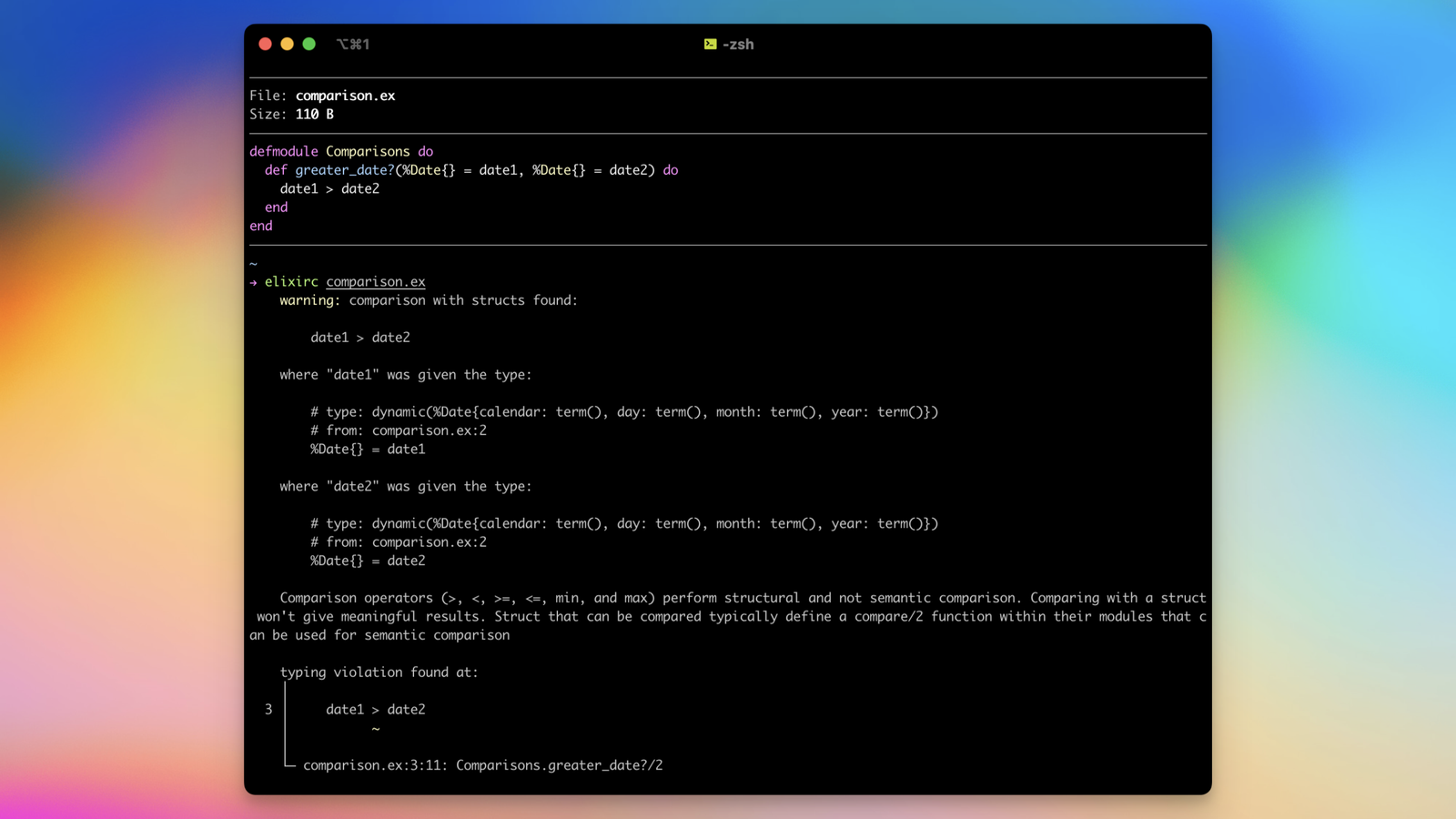
Leap years and February 29
Leap years matter because February can contain either 28 or 29 days. Elixir exposes Date.leap_year?/1 for checking a year directly.
Date.leap_year?(2024)
# true

Date.leap_year?(2025)
# false
For someone born on February 29, a calculator must choose what to do in a non-leap year. Common application conventions use February 28 or March 1 as the observed birthday. There is no universal software rule, so document the convention used by your calculator.
Calculate elapsed days and weeks
Date.diff/2 is ideal when the result should be a calendar-day count. Divide by seven to calculate complete weeks, using integer division so partial weeks are not counted as complete.
days = Date.diff(~D[2026-09-22], ~D[1990-05-17])
complete_weeks = div(days, 7)
remaining_days = rem(days, 7)
This is different from calculating a duration in seconds. Calendar dates do not contain a time of day, so Date.diff/2 expresses whole calendar days rather than elapsed clock hours.
Parse dates supplied as text
Web forms commonly send a date such as 1990-05-17 as a string. Parse it with Date.from_iso8601/1 and handle the result tuple rather than assuming the input is valid.
case Date.from_iso8601("1990-05-17") do
  {:ok, dob} ->
    IO.inspect(dob)

  {:error, reason} ->
    IO.inspect(reason)
end
Using ISO 8601 input keeps the boundary between your application and the date parser predictable. If your form uses another format, normalize it before converting it to a Date.
Format dates for display
A Date can be formatted as a string for a web page, report, or API response. For simple ISO output, the struct itself can be converted with the standard calendar formatting functions available in Elixir’s date/time stack. Keep storage and calculations in date values and format only at the presentation boundary.
dob = ~D[1990-05-17]
Date.to_iso8601(dob)
# "1990-05-17"
Time zones and DateTime
If your application asks only for a calendar date of birth, Date is usually the appropriate abstraction. You do not need a time zone to determine the number of calendar days between two dates.
If the business rule depends on an exact instant, such as calculating age at the exact moment of an event, use the appropriate DateTime representation and define the time zone or UTC policy. Be careful not to convert a local date to UTC in a way that unexpectedly moves it across midnight.
Reusable age calculator module
A small module can keep your calculation logic independent from Phoenix controllers, LiveView components, command-line code, or other interfaces. The following version exposes the most useful operations directly.
defmodule AgeCalculator do
  def age_in_days(dob, today \\ Date.utc_today()) do
    Date.diff(today, dob)
  end

  def complete_years(dob, today \\ Date.utc_today()) do
    years = today.year - dob.year
    birthday = anniversary_for_year(dob, today.year)

    if Date.compare(today, birthday) == :lt do
      years - 1
    else
      years
    end
  end

  def valid_dob?(dob, today \\ Date.utc_today()) do
    Date.compare(dob, today) != :gt
  end

  defp anniversary_for_year(dob, year) do
    day = min(dob.day, Date.days_in_month(Date.new!(year, dob.month, 1)))
    Date.new!(year, dob.month, day)
  end
end
Because these functions receive their dates as arguments, they are pure with respect to the calendar calculation. That makes them easy to unit test and reuse.
Testing the calculator
Test ordinary birthdays, birthdays that have not occurred yet this year, leap-day birthdays, future dates, and boundary cases around the end of a month.
defmodule AgeCalculatorTest do
  use ExUnit.Case

  test "completed years after birthday" do
    dob = ~D[1990-05-17]
    today = ~D[2026-09-22]

    assert AgeCalculator.complete_years(dob, today) == 36
  end

  test "birthday has not occurred yet" do
    dob = ~D[1990-12-10]
    today = ~D[2026-09-22]

    assert AgeCalculator.complete_years(dob, today) == 35
  end

  test "future date is rejected" do
    dob = ~D[2030-01-01]
    today = ~D[2026-09-22]

    refute AgeCalculator.valid_dob?(dob, today)
  end
end
Passing a fixed today date is important. Tests that depend on the actual system date can start failing simply because the calendar moved to the next day or year.
Common mistakes
| Mistake | Why it causes problems | Better approach |
|---|---|---|
| Subtracting only the years | It overstates age before the birthday. | Compare the birthday with the reference date. |
| Accepting future DOBs | The result becomes a negative age. | Validate with Date.compare/2. |
| Ignoring February 29 | Birthday rules become inconsistent in non-leap years. | Choose and document an explicit convention. |
| Using seconds for a date-only problem | Time zones and daylight-saving transitions add unnecessary complexity. | Use Date for calendar dates. |
| Testing against the real current date | Tests become time-dependent. | Pass a fixed reference date. |
| Parsing arbitrary date formats directly | Ambiguous input can be interpreted incorrectly. | Normalize to ISO 8601 where practical. |
Elixir vs other programming languages
| Language | Typical date approach | Age-calculator focus |
|---|---|---|
| Elixir | Date and the standard date/time modules | Immutable data, pattern matching and explicit date functions |
| Rust | Standard types plus date/time crates when needed | Strong typing and explicit calendar arithmetic |
| Go | time.Time and the time package | Simple date parsing and duration handling |
| Java | java.time | Rich calendar and temporal APIs |
| C++ | <chrono> and calendar facilities | Typed time and date operations |
| Swift | Foundation date/calendar APIs | Calendar-aware application development |
| Python | datetime and related standard-library tools | Readable date arithmetic and parsing |
If you are comparing implementations, you can also read our guides for Rust, Go, Java, C++, Swift, and Python.
Frequently asked questions
How do I calculate age in Elixir?
Represent the date of birth as a Date, compare it with a reference date, and subtract one from the year difference when the birthday has not yet occurred. Use Date.diff/2 when you need elapsed calendar days.
How do I get today’s date in Elixir?
Use Date.utc_today() when a UTC calendar date is appropriate. For applications where a user’s local calendar date matters, establish the application’s time-zone policy before converting an instant into a local date.
Can Elixir calculate the age in years, months and days?
Yes. A practical implementation calculates completed years first, then advances by complete calendar months, and finally uses Date.diff/2 for the remaining days. Because month lengths differ, document how your implementation handles dates such as January 31 and February 29.
How should a calculator handle February 29 birthdays?
Choose a business rule for non-leap years, commonly February 28 or March 1, and apply it consistently. Elixir’s Date.leap_year?/1 and Date.days_in_month/1 functions make the calendar facts easy to check.
Is Date.diff the same as elapsed hours divided by 24?
No. Date.diff/2 works with calendar dates and returns a number of whole calendar days. A calculation based on elapsed seconds or hours is an instant-based calculation and can have different behavior around time-zone and daylight-saving transitions.
Should I use a third-party Elixir library?
For straightforward date-only age calculations, the standard Date module provides the core operations you need. A third-party library may be appropriate when your application needs additional calendar systems, advanced time-zone handling, or domain-specific temporal features.
Elixir date and time references
- Elixir Date module documentation — functions for creating, comparing, shifting, parsing and formatting dates.
- Elixir official documentation — language and standard-library documentation.
- Elixir Getting Started — introduction to the language and its functional programming model.
Image credits
The Elixir logo used in this article is credited to its original creator and Wikimedia Commons licensing information. The date-code illustration is based on material from the official Elixir documentation ecosystem. Check the linked source pages for the applicable license and attribution details before reusing either image outside this article.
Final takeaway
An age calculator in Elixir can stay small and reliable when it treats dates as calendar values instead of converting everything into timestamps. Use Date.utc_today() for the current UTC date, Date.diff/2 for elapsed calendar days, Date.compare/2 for validation, and explicit birthday logic for completed years. For years-months-days output, document the month-end and February 29 conventions your application follows.
The same design also makes the code testable: pass a fixed reference date, cover leap years and month boundaries, and keep the date calculations in a reusable module. From there, the calculator can be used in a Phoenix application, a command-line tool, an API, or any other Elixir project.