Building an age calculator in Erlang is a useful way to learn the language’s built-in calendar functions. Erlang represents dates as simple tuples such as {1990,5,17}, while the standard calendar module provides validation, Gregorian-day conversion, leap-year checks, month-length calculations, day-of-week functions, and local or universal date-time handling.
This guide shows how to calculate completed age from a date of birth, calculate age on a fixed reference date, validate input, count elapsed days and weeks, handle leap years and February 29, calculate years-months-days, parse common date strings, and organize the logic into reusable Erlang functions.
Quick answer
For a date-only age calculation, use a calendar date tuple, obtain today’s date from calendar:local_time(), subtract the birth year from the reference year, and reduce the result by one when the birthday has not occurred yet:
-module(age_calculator).
-export([age_in_years/2]).

age_in_years({BirthYear, BirthMonth, BirthDay}, {RefYear, RefMonth, RefDay}) ->
    Age0 = RefYear - BirthYear,
    case {RefMonth, RefDay} < {BirthMonth, BirthDay} of
        true -> Age0 - 1;
        false -> Age0
    end.
Keep the reference date as an argument instead of hard-coding the current date. That makes the function useful for historical calculations, application cutoff dates, and deterministic tests.
Table of contents

Why use Erlang calendar for an age calculator
Erlang’s standard calendar module is designed for calendar and time conversions. It works with Gregorian dates and exposes functions for validating dates, converting dates to Gregorian day counts, converting day counts back to dates, checking leap years, finding the last day of a month, and calculating the day of the week.
The official Erlang documentation recommends Gregorian day or second counting when you need elapsed-time differences. It also warns that separate date and time calls can cross midnight and produce an inconsistent timestamp, which is why the combined local_time/0 and universal_time/0 functions are preferable when a reliable date-time value is required.
Erlang date types and calendar functions
| Erlang function or value | Purpose |
|---|---|
{Year, Month, Day} | Represents a calendar date. |
calendar:local_time() | Returns the current local date and time together. |
calendar:universal_time() | Returns the current UTC date and time. |
calendar:valid_date/1 | Checks whether a date tuple is valid. |
calendar:date_to_gregorian_days/1 | Converts a date to a Gregorian day count. |
calendar:gregorian_days_to_date/1 | Converts a Gregorian day count back to a date. |
calendar:is_leap_year/1 | Checks whether a year is a leap year. |
calendar:last_day_of_the_month/2 | Returns the number of days in a month. |
calendar:day_of_the_week/1 | Returns Monday as 1 through Sunday as 7. |
The current OTP 29 calendar documentation describes a proleptic Gregorian calendar and notes that source dates should be validated when their origin is unknown. The same documentation provides the functions used throughout this article.
Build a basic age calculator
An age calculator needs two dates: the date of birth and the date on which the age is being measured. The following function calculates completed years.
-module(age_calculator).
-export([age_in_years/2]).

age_in_years({BirthYear, BirthMonth, BirthDay},
             {RefYear, RefMonth, RefDay}) ->
    Age0 = RefYear - BirthYear,
    case {RefMonth, RefDay} < {BirthMonth, BirthDay} of
        true -> Age0 - 1;
        false -> Age0
    end.
Erlang tuple comparison makes the birthday check compact: the month is compared first and the day second. For example, if the reference date is 22 September and the birthday is 10 December, the birthday has not occurred yet, so one year is subtracted.
Get today’s date safely
For a normal local-calendar age calculator, extract the date from calendar:local_time(). The function returns both date and time in one value, avoiding the midnight-boundary problem that can occur when date and time are obtained separately.
-module(age_today).
-export([calculate/1]).

calculate(Dob) ->
    {{Year, Month, Day}, _Time} = calendar:local_time(),
    age_calculator:age_in_years(Dob, {Year, Month, Day}).
If your application’s business rule is based on UTC rather than local calendar time, use calendar:universal_time() instead. Choose the time basis explicitly, especially when users and servers can be in different time zones.
Calculate age on a fixed reference date
A fixed reference date is useful for an application deadline, historical report, eligibility cutoff, or automated test. It also makes the calculation reproducible because the result does not depend on the day on which the code happens to run.
Dob = {1990, 5, 17},
Reference = {2026, 9, 22},
Age = age_calculator:age_in_years(Dob, Reference),
io:format("Age: ~p~n", [Age]).
For the example above, the birthday has already occurred in the reference year, so the completed age is 36. If the reference date were 1 January 2026, the completed age would still be 35 until the May birthday.
Validate the date of birth
Never assume that an incoming tuple is a valid date. A value such as {2025,2,30} should be rejected before it reaches the calculation logic. Erlang’s calendar:valid_date/1 is intended for this check.
valid_dob(Dob, Reference) ->
    calendar:valid_date(Dob)
        andalso calendar:valid_date(Reference)
        andalso Dob =< Reference.
Keep two validation rules separate: the date must be a real calendar date, and a date of birth normally must not be later than the reference date. Separating these cases makes error messages and API validation easier to understand.
Calculate elapsed days and weeks
Completed age in years and elapsed days are different measurements. When an application asks how many calendar days have passed since a birth date, use the Gregorian-day conversion functions rather than trying to approximate a year as 365 days.
elapsed_days(Dob, Reference) ->
    calendar:date_to_gregorian_days(Reference) -
    calendar:date_to_gregorian_days(Dob).

elapsed_weeks(Dob, Reference) ->
    Days = elapsed_days(Dob, Reference),
    {Days div 7, Days rem 7}.
The result of elapsed_weeks/2 is a tuple containing complete weeks and the remaining days. This is useful when the user wants an exact elapsed-day breakdown rather than a birthday-based age.
Handle leap years and February 29
Leap years are important because February has either 28 or 29 days. Erlang provides calendar:is_leap_year/1, so there is no need to duplicate the Gregorian leap-year rule in ordinary application code.
calendar:is_leap_year(2024).
%% true

calendar:is_leap_year(2025).
%% false

calendar:last_day_of_the_month(2024, 2).
%% 29
For a person born on February 29, non-leap years require an application convention. Some systems observe the birthday on February 28 and others on March 1. An age calculator should document its chosen convention rather than silently treating the two dates as universally equivalent.
Calculate age in years, months and days
Years-months-days output is more complicated than completed years because calendar months have different lengths. A practical Erlang implementation can calculate completed years, then complete months, and finally the remaining days. The helper below clamps a day to the last valid day of the target month.
clamp_date(Year, Month, Day) ->
    LastDay = calendar:last_day_of_the_month(Year, Month),
    {Year, Month, erlang:min(Day, LastDay)}.

add_months({Year, Month, Day}, Count) ->
    Total = Year * 12 + (Month - 1) + Count,
    NewYear = Total div 12,
    NewMonth = (Total rem 12) + 1,
    clamp_date(NewYear, NewMonth, Day).

age_ymd(Dob, Reference) ->
    true = calendar:valid_date(Dob),
    true = calendar:valid_date(Reference),
    true = Dob =< Reference,

    {BirthYear, BirthMonth, BirthDay} = Dob,
    {RefYear, RefMonth, RefDay} = Reference,

    Years0 = RefYear - BirthYear,
    Anniversary0 = clamp_date(RefYear, BirthMonth, BirthDay),

    {Years, Anniversary} =
        case Anniversary0 > Reference of
            true ->
                Y = Years0 - 1,
                {Y, clamp_date(BirthYear + Y, BirthMonth, BirthDay)};
            false ->
                {Years0, Anniversary0}
        end,

    Months = complete_months(Anniversary, Reference, 0),
    Cursor = add_months(Anniversary, Months),
    Days = calendar:date_to_gregorian_days(Reference) -
           calendar:date_to_gregorian_days(Cursor),

    {Years, Months, Days}.

complete_months(Current, Reference, Count) ->
    Next = add_months(Current, 1),
    case Next =< Reference of
        true -> complete_months(Next, Reference, Count + 1);
        false -> Count
    end.
This implementation deliberately defines a month-end convention through clamp_date/3. For example, adding one month to a date whose day does not exist in the target month produces the target month’s final day. If your product uses a different February 29 or month-end policy, change the helper and add tests for that policy.
Parse and format date values
Erlang date values are tuples, so an application that receives text from a form or API normally needs a small parsing layer. ISO-style input such as 1990-05-17 is unambiguous and easy to split into integer components.
parse_iso_date(Text) when is_list(Text) ->
    case string:split(Text, "-", all) of
        [Y, M, D] ->
            Date = {list_to_integer(Y),
                    list_to_integer(M),
                    list_to_integer(D)},
            case calendar:valid_date(Date) of
                true -> {ok, Date};
                false -> {error, invalid_date}
            end;
        _ ->
            {error, invalid_format}
    end.
For production code, also consider input length, integer-conversion failures, and whether the API accepts strings or binaries. Once a date has been validated and converted into a tuple, keep it as a date value while doing the calculation and format it only when generating the final response.
Date versus DateTime and time zones
A birthday is normally a calendar date, not an exact instant. Erlang’s date representation {Year, Month, Day} is therefore enough for most age calculators. Introducing timestamps unnecessarily can make a simple calculation harder to reason about.
When an application genuinely needs a date and time, the calendar module represents a date-time as {{Year, Month, Day}, {Hour, Minute, Second}}. Local time and universal time are distinct concepts, and converting between them can change the calendar date around midnight.
The official Erlang documentation recommends using the combined local or universal time functions instead of separately calling date and time functions when a reliable timestamp is required. For a date-of-birth calculator, the simpler rule is usually: store the DOB as a date, choose the application’s reference-date time basis explicitly, and avoid timezone conversions unless the business requirement needs them.
Build a reusable Erlang age calculator module
A small module can keep validation, age calculation, and elapsed-day logic independent from a web server, API endpoint, command-line program, or OTP application.
-module(age_calculator).

-export([
    valid_dob/2,
    age_in_years/2,
    elapsed_days/2,
    elapsed_weeks/2
]).

valid_dob(Dob, Reference) ->
    calendar:valid_date(Dob) andalso
    calendar:valid_date(Reference) andalso
    Dob =< Reference.

age_in_years(Dob, Reference) ->
    case valid_dob(Dob, Reference) of
        false -> {error, invalid_date};
        true ->
            {BirthYear, BirthMonth, BirthDay} = Dob,
            {RefYear, RefMonth, RefDay} = Reference,
            Age0 = RefYear - BirthYear,
            Age = case {RefMonth, RefDay} < {BirthMonth, BirthDay} of
                true -> Age0 - 1;
                false -> Age0
            end,
            {ok, Age}
    end.

elapsed_days(Dob, Reference) ->
    case valid_dob(Dob, Reference) of
        false -> {error, invalid_date};
        true ->
            {ok,
             calendar:date_to_gregorian_days(Reference) -
             calendar:date_to_gregorian_days(Dob)}
    end.

elapsed_weeks(Dob, Reference) ->
    case elapsed_days(Dob, Reference) of
        {error, Reason} -> {error, Reason};
        {ok, Days} -> {ok, {Days div 7, Days rem 7}}
    end.
Returning {ok, Value} and {error, Reason} keeps invalid input explicit. That style also fits naturally into larger Erlang applications where callers can pattern-match on successful and failed operations.
Test the calculator
Age calculations should be tested with a fixed reference date. Include ordinary birthdays, birthdays that have not happened yet, invalid dates, future DOBs, leap years, February 29, and month-end cases.
-module(age_calculator_tests).

-include_lib("eunit/include/eunit.hrl").

completed_birthday_test() ->
    ?assertEqual(
        {ok, 36},
        age_calculator:age_in_years({1990,5,17}, {2026,9,22})
    ).

birthday_not_reached_test() ->
    ?assertEqual(
        {ok, 35},
        age_calculator:age_in_years({1990,12,10}, {2026,9,22})
    ).

future_dob_test() ->
    ?assertEqual(
        {error, invalid_date},
        age_calculator:age_in_years({2030,1,1}, {2026,9,22})
    ).

invalid_date_test() ->
    ?assertEqual(
        {error, invalid_date},
        age_calculator:age_in_years({2025,2,30}, {2026,9,22})
    ).

elapsed_days_test() ->
    {ok, Days} =
        age_calculator:elapsed_days({2020,1,1}, {2020,1,31}),
    ?assertEqual(30, Days).
Fixed dates keep these tests deterministic. Avoid making the expected result depend on calendar:local_time(), because the expected age can legitimately change when the calendar date changes.
Common mistakes
| Mistake | Why it causes problems | Better approach |
|---|---|---|
| Subtracting only the years | Age is overstated before the birthday. | Compare the reference month and day with the birth month and day. |
| Accepting future DOBs | The calculator can return a meaningless negative or future age. | Require Dob =< Reference. |
| Skipping date validation | Invalid tuples can fail later or produce confusing results. | Use calendar:valid_date/1. |
| Treating a year as 365 days | Leap years add an extra day. | Use Gregorian-day conversion for elapsed days. |
| Ignoring February 29 | Non-leap-year birthday behavior becomes ambiguous. | Document and test the chosen convention. |
| Calling date and time separately | The calls can cross midnight and produce a mismatched timestamp. | Use calendar:local_time() or calendar:universal_time(). |
Erlang compared with other languages
| Language | Main date approach | Age-calculator focus |
|---|---|---|
| Erlang | calendar module and date tuples | Gregorian conversion, validation, and explicit functions |
| Elixir | Date and standard date/time modules | Immutable calendar values and functional composition |
| Rust | Standard types plus date/time crates | Strong typing and explicit calendar arithmetic |
| Go | time.Time and time | Date comparison, parsing, and duration handling |
| Java | java.time | Rich calendar and temporal APIs |
| Python | datetime | Readable date arithmetic and parsing |
| Julia | Dates, Date, and period types | Calendar-aware arithmetic with typed periods |
For related implementations, see our guides for Elixir, Rust, Go, Java, Python, and Julia.
Frequently asked questions
How do I calculate age in Erlang?
Represent the DOB and reference date as {Year, Month, Day} tuples, subtract the years, and subtract one when the reference month and day are before the birthday. Validate both dates before calculating.
How do I get today’s date in Erlang?
Use calendar:local_time() for the current local date and time, then extract the date tuple. Use calendar:universal_time() when the application should operate on UTC.
How can Erlang calculate elapsed days between two dates?
Convert both dates with calendar:date_to_gregorian_days/1 and subtract the earlier count from the later count. This accounts for leap years instead of assuming every year contains 365 days.
Does Erlang have a leap-year function?
Yes. calendar:is_leap_year/1 checks whether a specified year is a Gregorian leap year. calendar:last_day_of_the_month/2 can then be used to determine the number of days in February or any other month.
How should February 29 be handled?
Choose and document an application convention for non-leap years, such as observing February 28 or March 1. The calculation should be tested against that explicit rule.
Should I use local time or UTC?
Use the time basis required by the application. A local birthday calculator will generally use the local calendar date, while a system-wide service may define its reference date in UTC. The important part is to make the policy explicit.
Erlang date and time references
- Erlang/OTP calendar documentation — official reference for date validation, Gregorian conversions, leap years, month lengths, and local or universal time.
- Erlang/OTP erlang module documentation — official reference for system time and date-time functions.
- Erlang official website — Erlang/OTP project information and documentation.
Image credits
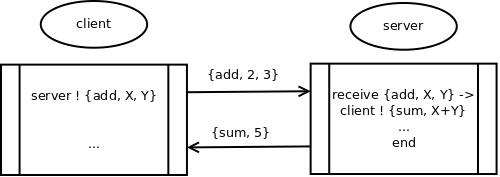
The Erlang logo is sourced from Wikimedia Commons. The Commons file page identifies the logo as public domain while noting that trademark restrictions may still apply. The Erlang client-server message exchange diagram is also from Wikimedia Commons and is dedicated under the CC0 1.0 public-domain dedication. Check the original Commons pages for the source and licensing information before reusing the images in other projects.
Final takeaway
An age calculator in Erlang is straightforward when the problem is separated into calendar operations: represent dates as tuples, validate input with calendar:valid_date/1, calculate completed years by checking the birthday, and use Gregorian-day conversion when exact elapsed days are required.
For reliable production code, define the reference-date policy, handle future DOBs explicitly, document the February 29 convention, test month-end boundaries, and use a fixed reference date in automated tests. These practices make the same Erlang functions suitable for a script, API, web service, or OTP application.