If you need an age calculator in R, the base R date classes are enough to build one without adding a package. R provides the Date class for calendar dates, Sys.Date() for the current date, as.Date() for parsing, and difftime() for elapsed intervals. That makes R a practical choice for scripts, reports, data analysis, and batch calculations.
This guide builds an age calculator from a date of birth (DOB). It shows how to calculate completed years, calculate age on a fixed reference date, report years-months-days, calculate elapsed days and weeks, validate input, handle leap years and February 29 birthdays, parse ISO dates, and turn the logic into reusable R functions.

Quick answer: calculate age in R
For a simple completed-years calculation, parse the birth date, compare the birthday in the target year, and subtract one when the birthday has not occurred yet.
dob <- as.Date("1995-08-24")
today <- Sys.Date()

age <- as.integer(format(today, "%Y")) -
  as.integer(format(dob, "%Y"))

birthday_this_year <- as.Date(
  paste0(format(today, "%Y"), "-", format(dob, "%m-%d"))
)

if (today < birthday_this_year) {
  age <- age - 1
}

age
This gives the person’s completed age in whole years. The important detail is that subtracting the two years alone is not sufficient: someone born late in the year may not have reached their birthday yet.
Why use R Date objects for an age calculator?
R’s Date class represents calendar dates and stores them internally as a number of days relative to 1970-01-01. R’s documentation also provides methods for arithmetic and comparisons on Date objects. Sys.Date() returns the current day, while as.Date() converts character input into a Date object.
For an age calculator, this distinction is useful because a date of birth normally does not need a clock time. Using Date avoids unnecessary hours, minutes, seconds, and time-zone handling for the basic calendar calculation.
Create a date of birth in R
The most convenient format for a DOB is ISO-style YYYY-MM-DD. R’s as.Date() method recognizes this format by default.
dob <- as.Date("2000-02-29")
dob
You can also supply an explicit format when the input uses another representation.
dob <- as.Date("24/08/1995", format = "%d/%m/%Y")For user-entered data, an explicit format is often safer because it makes the expected day-month-year order clear.
Get today’s date in R
Use Sys.Date() when the calculation should use the system’s current date.
today <- Sys.Date()
print(today)
R documents Sys.Date() as returning the current day in the current time zone. If you need a date-time rather than a date, Sys.time() returns a POSIXct object.
Calculate completed age in years
A completed age answers the everyday question: “How many birthdays has this person already had?” A reliable calculation therefore compares the birthday with the target date.
calculate_age <- function(dob, on_date = Sys.Date()) {
  years <- as.integer(format(on_date, "%Y")) -
    as.integer(format(dob, "%Y"))

  birthday <- as.Date(
    paste0(format(on_date, "%Y"), "-", format(dob, "%m-%d"))
  )

  if (on_date < birthday) {
    years <- years - 1L
  }

  years
}

calculate_age(as.Date("1995-08-24"))
The optional on_date argument is valuable because it makes the function deterministic for tests and historical calculations.
Calculate age on a fixed reference date
Sometimes the age must be calculated on a particular date rather than today. Examples include an application cutoff date, a report date, or an eligibility date.
dob <- as.Date("1995-08-24")
reference_date <- as.Date("2026-03-31")

calculate_age(dob, reference_date)
Keeping the target date explicit prevents the result from changing when the program is run later.
Years, months, and days: why it is different
“30 years” and “30 years, 4 months, 7 days” are different representations. Base R’s Date arithmetic makes elapsed-day calculations straightforward, but a calendar decomposition into years, months, and remaining days requires a deliberate algorithm.
| Output | Meaning | Typical R approach |
|---|---|---|
| Completed years | Full birthdays reached | Compare year and birthday |
| Total days | Elapsed calendar days | difftime() or Date subtraction |
| Years-months-days | Calendar decomposition | Increment years/months and calculate remainder |
Build a years-months-days age function
For a portable base-R implementation, calculate completed years first, move the DOB forward by that many years, then calculate the remaining months and days. Because base R’s Date class does not provide a direct “add calendar months” primitive with the semantics of an age interval, it is useful to construct the candidate year and month explicitly.
days_in_month <- function(year, month) {
  first <- as.Date(sprintf("%04d-%02d-01", year, month))
  next_month <- if (month == 12) {
    as.Date(sprintf("%04d-01-01", year + 1))
  } else {
    as.Date(sprintf("%04d-%02d-01", year, month + 1))
  }
  as.integer(next_month - first)
}

add_months_clamped <- function(date, months) {
  parts <- as.integer(format(date, c("%Y", "%m", "%d")))
  total_months <- parts[1] * 12L + (parts[2] - 1L) + months
  year <- total_months %/% 12L
  month <- total_months %% 12L + 1L
  day <- min(parts[3], days_in_month(year, month))
  as.Date(sprintf("%04d-%02d-%02d", year, month, day))
}
With that helper, the remaining calculation can be expressed as calendar steps rather than assuming every month has the same number of days.
age_ymd <- function(dob, on_date = Sys.Date()) {
  if (dob > on_date) stop("DOB cannot be after the reference date.")

  years <- as.integer(format(on_date, "%Y")) -
    as.integer(format(dob, "%Y"))

  anniversary <- add_months_clamped(dob, years * 12L)

  if (anniversary > on_date) {
    years <- years - 1L
    anniversary <- add_months_clamped(dob, years * 12L)
  }

  months <- 0L
  candidate <- anniversary

  while (TRUE) {
    next_candidate <- add_months_clamped(candidate, 1L)
    if (next_candidate > on_date) break
    candidate <- next_candidate
    months <- months + 1L
  }

  days <- as.integer(on_date - candidate)

  list(years = years, months = months, days = days)
}

age_ymd(as.Date("1995-08-24"), as.Date("2026-09-22"))
This approach deliberately clamps month-end dates. That matters for birthdays such as January 31, because the corresponding day does not exist in every month.
Calculate elapsed days with difftime()
R’s difftime() function calculates the difference between two date or date-time objects and can return units including seconds, minutes, hours, days, and weeks. Subtracting Date objects also produces an interval suitable for this purpose.
dob <- as.Date("1995-08-24")
today <- as.Date("2026-09-22")

elapsed_days <- difftime(today, dob, units = "days")
elapsed_weeks <- difftime(today, dob, units = "weeks")

elapsed_days
elapsed_weeks
If you need a plain numeric value, use as.numeric() or as.double() with the requested units.
Calculate elapsed days using Date subtraction
days <- as.integer(as.Date("2026-09-22") - as.Date("1995-08-24"))
days
This is especially convenient when both values are already Date objects. R’s documentation also provides diff() methods for Date and POSIXt objects.
Validate a date of birth before calculating age
A production calculator should reject missing, malformed, or future dates. A simple validator can combine as.Date(), is.na(), and a reference-date comparison.
validate_dob <- function(dob, on_date = Sys.Date()) {
  if (length(dob) != 1L || is.na(dob)) {
    stop("Enter exactly one valid date of birth.")
  }

  if (dob > on_date) {
    stop("Date of birth cannot be in the future.")
  }

  TRUE
}

dob <- as.Date("1995-08-24")
validate_dob(dob)
When parsing raw text, wrap conversion in a controlled validation step so invalid input can be reported instead of silently propagating an NA.
Parse YYYY-MM-DD input safely
parse_dob <- function(text) {
  value <- as.Date(text, format = "%Y-%m-%d")

  if (is.na(value)) {
    stop("DOB must use YYYY-MM-DD and contain a valid date.")
  }

  value
}

parse_dob("1995-08-24")
as.Date() supports character conversion and explicit format strings. Its documentation notes that the default character formats include ISO-style dates such as %Y-%m-%d.
Leap years and February 29 birthdays
Leap years are one of the easiest places to introduce an age-calculation bug. A person born on February 29 has a valid DOB, but February 29 does not occur in most calendar years.
For ordinary completed-age calculations, the safest policy is to define how your application treats a February 29 birthday in a non-leap year. Common business rules use February 28 or March 1, but the correct choice depends on the application’s requirements. Do not silently assume that one policy applies to every legal or administrative context.
The years-months-days implementation above uses a clamped calendar date when moving through months. That prevents an invalid date from being created when a target month has fewer days than the original birth month.
Check leap years in R
Base R does not require a special package for a simple Gregorian leap-year test. A year is a leap year when it is divisible by 4, except century years that are not divisible by 400.
is_leap_year <- function(year) {
  (year %% 400L == 0L) ||
    (year %% 4L == 0L && year %% 100L != 0L)
}

is_leap_year(2024)
is_leap_year(2100)
is_leap_year(2000)
Find the number of days in a month
The helper used earlier can determine month length without maintaining a manual table. It creates the first day of the current month and the first day of the next month, then takes the difference.
days_in_month(2024, 2)
days_in_month(2025, 2)
days_in_month(2025, 12)| Month | Normal year | Leap year |
|---|---|---|
| January | 31 | 31 |
| February | 28 | 29 |
| March | 31 | 31 |
| April | 30 | 30 |
| May | 31 | 31 |
| June | 30 | 30 |
| July | 31 | 31 |
| August | 31 | 31 |
| September | 30 | 30 |
| October | 31 | 31 |
| November | 30 | 30 |
| December | 31 | 31 |
Format an age result for display
A calculator can return a list for programmatic use and a formatted sentence for a report.
result <- age_ymd(
  as.Date("1995-08-24"),
  as.Date("2026-09-22")
)

message(
  result$years, " years, ",
  result$months, " months, and ",
  result$days, " days"
)
For tables or data frames, keeping the numeric components separate is usually better than storing only the final sentence.
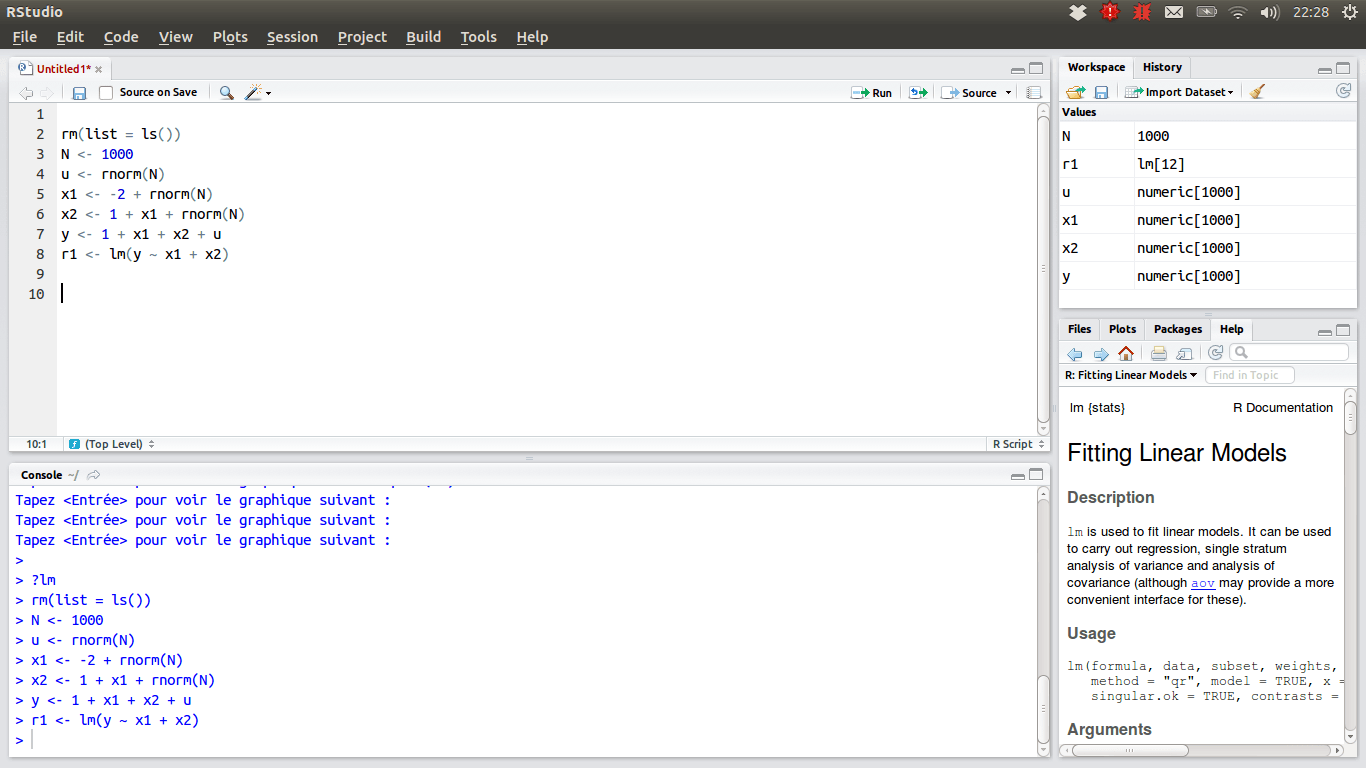
Use Date versus POSIXct and POSIXlt
Use Date when the problem is about calendar dates. Use POSIXct or POSIXlt when a clock time or time zone matters. R’s documentation describes POSIXct as convenient for data frames and POSIXlt as closer to human-readable components; both inherit from the virtual POSIXt class.
For an ordinary DOB age calculator, adding time-of-day information can create avoidable complexity. If you are calculating an exact elapsed duration between timestamps, however, date-time classes and explicit time zones become important.
Handle time zones when the calculation needs a time
If your application accepts birth timestamps rather than birth dates, choose the intended time zone explicitly. R’s date-time conversion functions accept a tz argument, and the documentation notes that invalid time-zone specifications can be system-dependent.
For age based on a person’s calendar birthday, normalize the business rule to a date in the intended jurisdiction rather than comparing two arbitrary server timestamps.
Build a reusable Age Calculator module in R
A small collection of functions keeps parsing, validation, calculation, and presentation separate.
age_from_dob <- function(dob_text, on_date = Sys.Date()) {
  dob <- parse_dob(dob_text)
  validate_dob(dob, on_date)

  ymd <- age_ymd(dob, on_date)

  list(
    years = ymd$years,
    months = ymd$months,
    days = ymd$days,
    total_days = as.integer(on_date - dob),
    total_weeks = as.numeric(
      difftime(on_date, dob, units = "weeks")
    )
  )
}

age_from_dob("1995-08-24", as.Date("2026-09-22"))
This structure is easy to reuse in a Shiny app, R Markdown report, scheduled data pipeline, or command-line script.
Test the R age calculator
Test boundary dates instead of only testing an ordinary birthday. At minimum, cover a birthday today, a birthday tomorrow, a leap-day DOB, a month-end DOB, a future DOB, and an invalid input string.
stopifnot(
  calculate_age(as.Date("2000-09-22"), as.Date("2026-09-22")) == 26,
  calculate_age(as.Date("2000-09-23"), as.Date("2026-09-22")) == 25,
  calculate_age(as.Date("2000-02-29"), as.Date("2024-02-29")) == 24
)

try(parse_dob("not-a-date"))
try(validate_dob(as.Date("2030-01-01"), as.Date("2026-09-22")))
Common mistakes in an R age calculator
| Mistake | Why it causes trouble | Better approach |
|---|---|---|
| Subtracting only the years | Ignores whether the birthday has occurred | Compare the birthday with the target date |
| Dividing days by 365 | Leap years and calendar boundaries vary | Use calendar-year logic for completed age |
| Using timestamps for a date-only problem | Introduces time-zone and time-of-day issues | Use Date when appropriate |
| Ignoring future DOBs | Produces meaningless negative ages | Validate before calculation |
| Assuming February has 29 days every year | Creates invalid anniversary dates | Apply an explicit leap-day policy |
| Hard-coding today’s date | Results become stale | Use Sys.Date() or an explicit reference date |
R age calculator example
Suppose the DOB is August 24, 1995 and the reference date is September 22, 2026. The completed-years function first calculates the difference between 2026 and 1995, then checks whether August 24 has already occurred in 2026. Because it has, the completed age is 31.
dob <- as.Date("1995-08-24")
reference <- as.Date("2026-09-22")

calculate_age(dob, reference)
age_ymd(dob, reference)
as.integer(reference - dob)
Compare R with other programming languages
| Language | Typical date API | Age-calculation style |
|---|---|---|
| R | Date, difftime, POSIX classes | Base-R date arithmetic and calendar logic |
| Python | datetime.date | Explicit date comparisons and arithmetic |
| Java | LocalDate, Period | Dedicated calendar-period API |
| Scala | Java LocalDate/Period | JVM date-time interop |
| Rust | Date/time crates | Typed date and duration operations |
| Go | time.Time | Date-time values and duration arithmetic |
For more examples in this series, see our guides for Python, Java, Scala, Rust, Go, Julia, and Clojure.
Frequently asked questions
How do I calculate age from a DOB in R?
Convert the DOB with as.Date(), get the target date with Sys.Date() or a fixed date, subtract the years, and reduce the result by one when the birthday has not yet occurred in the target year.
Can R calculate age in years, months, and days?
Yes. Base R can do it, but years-months-days is a calendar decomposition rather than a simple duration. A reusable function should explicitly handle month lengths and leap years.
How do I calculate the number of days between a DOB and today in R?
Use difftime(Sys.Date(), dob, units = "days") or subtract one Date object from another and convert the result to an integer.
What is the difference between Date and POSIXct in R?
Date represents calendar dates, while POSIXct represents date-times. Use Date for date-only age calculations and date-time classes when time and time zones matter.
How should a February 29 birthday be handled?
Decide the application’s business rule for non-leap years. The calculation should not assume that February 29 exists every year.
Should I use 365 days to calculate someone’s age?
No for a completed-calendar-years result. Dividing elapsed days by 365 can disagree with the number of birthdays reached because calendar years can contain 366 days.
Official R references
- R Date Class documentation
- R as.Date documentation
- R difftime documentation
- R Date-Time Classes documentation
- R Sys.Date and Sys.time documentation
Image credits
The R logo is from Wikimedia Commons and is licensed under CC BY-SA 4.0. The RStudio screenshot is by PAC2 via Wikimedia Commons and is distributed under the GNU Affero General Public License v3 or later. The image files are used with attribution in the captions above.
Final takeaway
An age calculator in R can be built cleanly with base R. Use Date for calendar DOB calculations, Sys.Date() or an explicit reference date for the target, difftime() for elapsed intervals, and dedicated validation for malformed or future dates. For years-months-days output, treat the problem as calendar arithmetic rather than simply dividing a day count by 365. Once the core functions are separated, the same calculator can be reused in analysis scripts, reports, applications, and automated data workflows.