Lua is a lightweight scripting language with a small standard library, so an age calculator in Lua is a useful example of how to work with calendar dates without relying on a large date-time framework. The standard os library provides os.date, os.time, and os.difftime, which are enough for many date-of-birth calculations when you understand their calendar and time-zone behavior.

Table of Contents
Quick answer: age calculator in Lua
An age calculator in Lua can represent a birthday as a table such as {year = 1990, month = 5, day = 17}. For the current date, os.date("*t") returns a table containing year, month, and day fields. Completed age is then calculated by subtracting birth year from target year and reducing the result by one when the birthday has not yet occurred in the target year.
This approach is deliberately calendar-based. It avoids the common mistake of dividing a total number of seconds or days by an average year length. The Lua reference manual documents os.date, os.time, and os.difftime as the core operating-system date and time facilities.
Why use Lua for an age calculator?
Lua is designed to be lightweight and embeddable, and its standard library exposes date and time operations through the os table. That makes a small age calculator a good practical exercise in tables, functions, conditionals, date normalization, and careful handling of calendar boundaries.
The important limitation is that the standard library is not a high-level calendar package. os.time works with a system time representation and local date/time fields, while os.difftime measures a difference in seconds. For sophisticated time zones, recurring calendar rules, or application-wide date abstractions, a dedicated date library or host-language API may be more appropriate.
Lua date functions you need
| Function | Purpose | Typical use |
|---|---|---|
os.date | Formats a time or returns date fields | Read today, extract year/month/day, format output |
os.time | Creates or converts a local date/time value | Convert a date table into a time value |
os.difftime | Returns a difference in seconds | Elapsed time calculations |
With os.date("*t"), Lua returns fields including year, month, day, hour, min, sec, wday, yday, and daylight-saving information when available. Prefixing a format with ! asks for UTC formatting, which is useful when an application deliberately chooses UTC as its date-time reference.
Create a date of birth in Lua
A DOB can be stored as a plain Lua table. Keeping only the calendar fields is often clearer for an age calculator because a birthday does not inherently include a time of day.
local dob = { year = 1990, month = 5, day = 17 }\n\nprint(dob.year)\nprint(dob.month)\nprint(dob.day)When converting a table with os.time, Lua also accepts optional hour, minute, second, and daylight-saving fields. If you are calculating age from calendar dates rather than timestamps, use a consistent time such as noon when converting dates for elapsed-time work.
Get today’s date in Lua
local today = os.date("*t")\n\nprint(string.format("%04d-%02d-%02d", today.year, today.month, today.day))This reads the local date from the environment in which Lua is running. For a deterministic application, it is often better to pass a target date into your age function rather than calling the clock deep inside business logic.
Calculate completed age in years
The most useful definition of age is the number of birthdays already reached. Subtract the birth year from the target year, then check whether the target month/day is before the birth month/day.
local function completed_age(dob, target)\n local age = target.year - dob.year\n\n if target.month < dob.month or\n (target.month == dob.month and target.day < dob.day) then\n age = age - 1\n end\n\n return age\nend\n\nlocal dob = { year = 1990, month = 5, day = 17 }\nlocal today = os.date("*t")\nprint(completed_age(dob, today))For example, someone born on May 17, 1990 is 35 on May 16, 2026 and 36 on May 17, 2026. The calculation is based on the birthday boundary, not on an approximate number of days in a year.
Calculate age on a fixed date
A fixed target date is valuable for eligibility checks, historical reports, forms, and tests. It also makes unit tests repeatable because the answer does not change when the system clock advances.
local dob = { year = 2000, month = 9, day = 22 }\nlocal target = { year = 2026, month = 9, day = 21 }\n\nprint(completed_age(dob, target)) -- 25Changing the target to September 22, 2026 makes the result 26. This is the same boundary logic used by an ordinary DOB age calculator.
Calculate age in years, months, and days
Years-months-days output is more involved because months have different lengths. A practical strategy is to first count completed years, then count completed months after the last birthday, and finally use the remaining calendar days. For February 29 birthdays, you should explicitly define the business rule used for non-leap years.
local function is_leap_year(year)\n return year % 4 == 0 and (year % 100 ~= 0 or year % 400 == 0)\nend\n\nlocal function days_in_month(year, month)\n local next_year = year\n local next_month = month + 1\n if next_month == 13 then\n next_month = 1\n next_year = next_year + 1\n end\n\n local t = os.time({\n year = next_year, month = next_month, day = 0,\n hour = 12, min = 0, sec = 0\n })\n return tonumber(os.date("%d", t))\nendThe helper above uses Lua date normalization to find the last day of a month. A complete years-months-days routine should use that helper rather than assuming every month contains 30 days. If your product has legal or contractual rules for February 29 birthdays, document those rules separately from the arithmetic.
Calculate elapsed days and weeks
For elapsed time, convert two date-time tables with os.time and use os.difftime. The result is expressed in seconds.
local birth_time = os.time({ year = 1990, month = 5, day = 17, hour = 12 })\nlocal target_time = os.time({ year = 2026, month = 5, day = 17, hour = 12 })\n\nlocal seconds = os.difftime(target_time, birth_time)\nlocal days = math.floor(seconds / 86400)\nlocal weeks = math.floor(days / 7)\n\nprint("Days:", days)\nprint("Weeks:", weeks)Do not treat days from this method as an absolute count of calendar midnights in every time zone. Daylight-saving transitions can change the number of elapsed seconds in a local calendar day. If the application needs strict calendar-day arithmetic across time zones, use a calendar-aware library or a host API designed for that purpose.
Validate a date of birth
One important Lua detail is that os.time normalizes out-of-range fields. That behavior is useful for date arithmetic but means you should not assume that constructing a time value proves the original input was valid. A robust validator can create a noon timestamp and compare the normalized year, month, and day with the original values.
local function valid_date(year, month, day)\n local t = os.time({\n year = year, month = month, day = day,\n hour = 12, min = 0, sec = 0\n })\n if not t then\n return false\n end\n\n local normalized = os.date("*t", t)\n return normalized.year == year\n and normalized.month == month\n and normalized.day == day\nend\n\nprint(valid_date(2000, 2, 29)) -- true\nprint(valid_date(2023, 2, 29)) -- falseYou should also reject a DOB that is after the target date and apply any application-specific minimum or maximum year rules before calculating age.
Handle leap years and February 29
| Rule | Meaning |
|---|---|
| Divisible by 4 | Usually a leap year |
| Divisible by 100 | Not a leap year unless also divisible by 400 |
| Divisible by 400 | Leap year |
For example, 2000 is a leap year, while 1900 is not. The simple helper shown above implements the Gregorian leap-year rule. The standard library can also be used indirectly to discover month lengths through normalized dates.
The difficult policy question is not whether February 29 exists in a leap year; it is what your application means by the birthday in a non-leap year. Common policies include treating February 28 or March 1 as the birthday. An age calculator should state its chosen rule instead of silently assuming one.
Parse and format DOB strings
Lua does not provide a general ISO date parser in the basic os library. For a simple YYYY-MM-DD input, pattern matching can split the fields and then validation can confirm the date.
local function parse_date(text)\n local y, m, d = text:match("^(%d%d%d%d)%-(%d%d)%-(%d%d)$")\n if not y then\n return nil, "Expected YYYY-MM-DD"\n end\n\n y, m, d = tonumber(y), tonumber(m), tonumber(d)\n if not valid_date(y, m, d) then\n return nil, "Invalid calendar date"\n end\n\n return { year = y, month = m, day = d }\nend\n\nlocal dob, err = parse_date("1990-05-17")\nif not dob then\n print(err)\nendFor output, string.format("%04d-%02d-%02d", year, month, day) produces a stable ISO-style calendar representation. Avoid using locale-dependent display strings as machine-readable input.
Build a reusable Lua age calculator
For a real application, keep the calendar logic in a small module instead of mixing it with user-interface code. The main function should accept a DOB and an explicit target date whenever possible.
local AgeCalculator = {}\n\nfunction AgeCalculator.completed_age(dob, target)\n local age = target.year - dob.year\n if target.month < dob.month or\n (target.month == dob.month and target.day < dob.day) then\n age = age - 1\n end\n return age\nend\n\nfunction AgeCalculator.today_age(dob)\n return AgeCalculator.completed_age(dob, os.date("*t"))\nend\n\nreturn AgeCalculatorThis separation makes the code easier to reuse in a command-line tool, game, embedded application, web backend, or test suite. It also makes it easier to replace the date implementation later if the application grows beyond the standard os library.
Time zones and os.time limitations
Lua’s standard os.time represents local date and time according to the host environment. os.date can format either local time or UTC when the format begins with !. This distinction matters if the same DOB is processed on servers in different time zones.
For a date-only age calculator, the cleanest design is usually to treat the DOB and target as calendar dates and avoid attaching an arbitrary user-facing time zone to the birthday itself. If the application receives timestamps, convert them to the intended calendar zone before calculating age. If exact cross-zone behavior is a requirement, use a library with explicit time-zone and calendar support.
Test the Lua age calculator
| Test case | What to verify |
|---|---|
| Birthday today | Age increments exactly on the birthday |
| Day before birthday | Age remains one year lower |
| Leap-day DOB | Chosen non-leap-year policy is applied |
| Invalid date | February 30 and similar inputs are rejected |
| Future DOB | Input is rejected or handled explicitly |
| Fixed target date | Same inputs always produce the same result |
Tests should include month boundaries, year boundaries, and leap years. Use fixed target dates rather than the current clock for most unit tests. That keeps the expected result stable.
Common mistakes
- Dividing days by 365: this ignores leap years and the birthday boundary.
- Trusting os.time as a validator: Lua normalizes date fields, so invalid input can turn into a different valid date.
- Ignoring time zones: local
os.timebehavior can matter when timestamps cross zones. - Assuming every month has 30 days: month lengths vary and February is special.
- Using the system clock inside every function: this makes testing harder. Prefer an explicit target date.
- Leaving February 29 undefined: choose and document a non-leap-year birthday policy.
Lua age calculator compared with other languages
| Language | Typical date approach | Age-calculation focus |
|---|---|---|
| Lua | os.date, os.time, os.difftime | Small standard-library solution with explicit calendar logic |
| Java | java.time.LocalDate, Period | Rich date-only and period APIs |
| Python | datetime.date | Convenient date arithmetic and parsing options |
| Rust | Date/time crates | Strongly typed date representations |
| Go | time.Time | Built-in time and date operations |
| Swift | Date and Calendar | Calendar-aware date calculations |
If you are comparing implementations, see our related guides for Java, Python, Rust, Go, Swift, Kotlin, Ruby, and Dart. Each language exposes different abstractions for dates, periods, and time zones.
Complete example
local function valid_date(year, month, day)\n local t = os.time({ year = year, month = month, day = day, hour = 12 })\n if not t then return false end\n local n = os.date("*t", t)\n return n.year == year and n.month == month and n.day == day\nend\n\nlocal function completed_age(dob, target)\n local age = target.year - dob.year\n if target.month < dob.month or\n (target.month == dob.month and target.day < dob.day) then\n age = age - 1\n end\n return age\nend\n\nlocal function parse_date(text)\n local y, m, d = text:match("^(%d%d%d%d)%-(%d%d)%-(%d%d)$")\n if not y then return nil, "Use YYYY-MM-DD" end\n y, m, d = tonumber(y), tonumber(m), tonumber(d)\n if not valid_date(y, m, d) then return nil, "Invalid date" end\n return { year = y, month = m, day = d }\nend\n\nlocal dob, err = parse_date("1990-05-17")\nif not dob then\n error(err)\nend\n\nlocal target = os.date("*t")\nprint("Age:", completed_age(dob, target))This example keeps the core calculation independent from the current clock except at the final line where the target date is selected. In a production system, pass a target date explicitly when you need reproducible calculations.
FAQs
Can Lua calculate age without a third-party date library?
Yes. Completed age in years can be calculated with the standard os.date and plain table logic. The standard library also provides os.time and os.difftime for timestamp conversion and elapsed-time calculations.
What is the best way to calculate age in Lua?
For completed age, compare the target month and day with the DOB month and day after subtracting the years. This directly models the birthday rule and avoids average-year approximations.
Does os.time validate a DOB?
Not by itself. Lua documents that os.time normalizes fields that are outside their usual ranges. Compare the normalized result with the original values if you need strict validation.
How should February 29 birthdays be handled?
Define an explicit rule for non-leap years, such as recognizing February 28 or March 1 as the birthday. The correct policy depends on the purpose of the application.
Can Lua calculate age in years, months, and days?
Yes, but it requires calendar-aware logic because months have different lengths. Use month-length helpers and clearly define the February 29 rule rather than subtracting a fixed number of days per month.
Official references and image credits
- Lua 5.5 Reference Manual — official language and standard-library documentation.
- Lua reference manuals — official manuals for current and previous Lua releases.
- Lua logos — official Lua.org logo-use information.
- Lua logo: Lua.org project logo, with the usage terms described by Lua.org and the public-domain source noted by Wikimedia Commons.
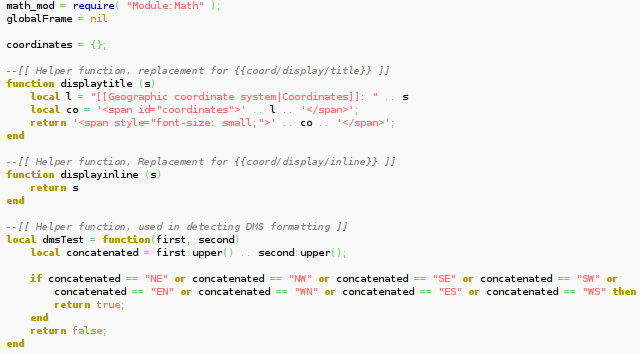
- Lua source-code image: Wikimedia Commons media file “Excerpt of Coordinates module in Lua”.
Lua’s official manual is the best reference for the exact behavior of the standard date and time functions. The current official manual is for Lua 5.5, while the same core os.date, os.time, and os.difftime approach is also documented in earlier Lua 5.x manuals.
Final takeaway
A Lua age calculator is a compact example of reliable calendar programming. Store the DOB as calendar fields, use os.date("*t") for a target date, calculate completed years from the birthday boundary, validate normalized input, and treat leap years and time zones explicitly. For larger applications, keep the age calculation in a reusable module and pass target dates into the function so the same code is easy to test.